ChatGPT is not a magic wand, but in the hands of a developer who knows how to use it properly, it comes remarkably close. Whether you are building a SaaS product, wiring up a REST API, or trying to squash a bug that has been haunting you for two days, knowing how to prompt and work with ChatGPT effectively can cut your development time significantly. This guide gives you the practical, no-nonsense tips and tricks that actually make a difference in a real dev workflow.
Most developers who try ChatGPT once and walk away disappointed made the same mistake: they treated it like a search engine. They typed a vague question, got a generic answer, and concluded the tool was not worth their time. That is a fair reaction to a bad experience, but it misses what ChatGPT is actually good at.
ChatGPT is a conversational reasoning engine. It performs best when you give it context, constraints, and a clear goal. When used with intention, it can help you write boilerplate code in seconds, explain complex logic in plain language, catch bugs before they reach production, and generate test cases you probably would have skipped. The developers who get the most out of it are not necessarily the most senior engineers. They are the ones who have learned how to communicate with the model the same way they would brief a capable junior developer: clearly, specifically, and with enough background to make the output useful.
The sections below break down the exact techniques that make ChatGPT genuinely productive for software development work, from writing better prompts to speeding up code reviews and building out documentation without the pain.
How to Write Prompts That Actually Produce Useful Code
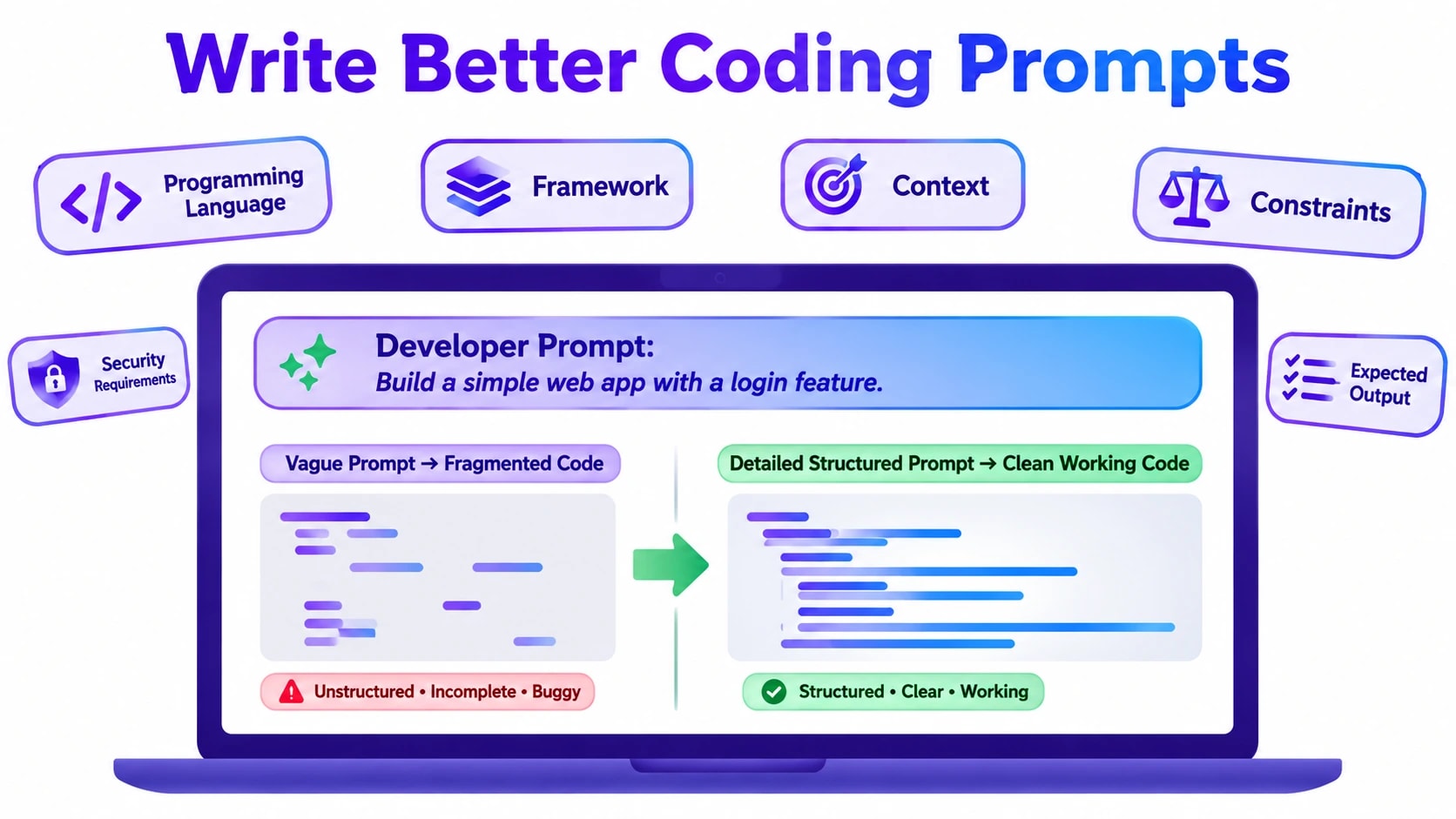
The quality of what ChatGPT gives you is almost entirely determined by how well you ask. A weak prompt produces weak output. A structured, specific prompt produces code you can actually use. Here is how to build prompts that work.
Provide context up front
Before asking ChatGPT to write anything, tell it what it is working with. Specify the language, the framework, the version if it matters, and the broader context of what you are building. Instead of saying “write a login function,” say “write a login function in Node.js using Express and Passport.js with local strategy, where the user model uses Mongoose and passwords are hashed with bcrypt.” That single sentence of context transforms a generic snippet into something that fits your actual stack.
Define constraints and requirements explicitly
ChatGPT will make assumptions if you leave gaps. Some of those assumptions will be wrong for your use case. To avoid that, state your requirements explicitly. Mention whether you need error handling, whether the function should be async, whether you want TypeScript types included, or whether there are performance considerations to account for. The more constraints you provide, the less guesswork the model has to do.
Use role-setting to shift the output quality
Starting a prompt with a role instruction changes the tone and depth of the response. Telling ChatGPT “you are a senior backend engineer reviewing production code” before asking it to write a database query will produce more cautious, optimized output than a bare request. This technique is especially useful when you need code that accounts for edge cases, security considerations, or scalability, areas where a default response tends to be overly simplified.
Iterate in the same conversation
Do not start a new chat every time the output is not quite right. ChatGPT retains context within a conversation, so you can follow up with corrections. Say “refactor this to use a switch statement instead” or “add input validation and return a 400 error if the email field is missing.” Treating the conversation as a collaborative back-and-forth rather than a single query gets you to a usable result much faster.
Using ChatGPT to Debug Code Faster Than Stack Overflow
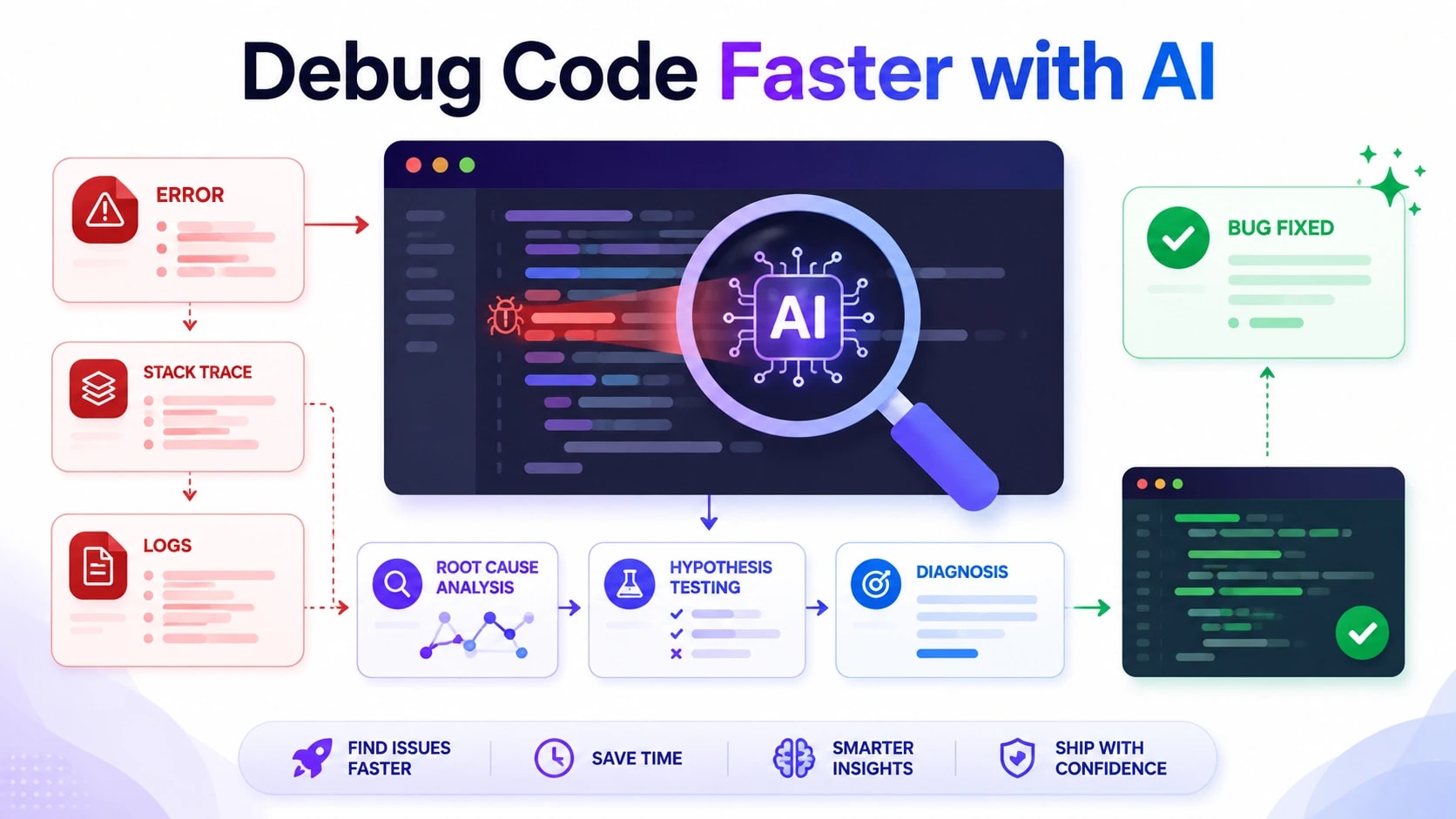
Debugging is where many developers discover just how useful ChatGPT can be, often by accident. You paste an error message into the chat out of frustration, and thirty seconds later you have a clear explanation and a suggested fix. That experience is repeatable and improvable once you know the right approach.
Paste the error with the surrounding code
An error message alone gives ChatGPT limited information. The stack trace combined with the relevant function or block of code gives it enough to reason about what actually went wrong. When you share both, the model can often identify not just the immediate error but the underlying cause, such as a missing null check, an unhandled promise rejection, or a type mismatch that only surfaces under certain conditions.
Ask for an explanation before a fix
It is tempting to jump straight to asking for a solution, but asking ChatGPT to explain what is causing the error first produces a better outcome. When you understand why the bug exists, you can evaluate whether the suggested fix actually addresses the root cause or just patches the symptom. This approach also builds your own understanding over time, which means you are less likely to encounter the same class of bug again.
Use ChatGPT to test your own hypotheses
If you already have a theory about what is wrong, describe it and ask ChatGPT whether your reasoning is correct. This is faster than writing a test case to prove it and often surfaces edge cases you had not considered. You might say “I think this race condition is happening because the state update is asynchronous and the component unmounts before the callback fires, is that right?” ChatGPT will confirm, correct, or refine your thinking in a way that a search engine simply cannot.
Ask it to add logging for diagnosis
When you cannot reproduce a bug consistently or you are working in a production environment where you need careful, targeted logging, ask ChatGPT to add structured log statements to your code at the right points. Describe the behavior you are seeing and ask it to instrument the function in a way that would surface what is going wrong. This is a practical shortcut that saves time compared to manually deciding where to add console statements or log calls.
The common thread across all of these debugging techniques is specificity. The more precisely you describe the problem, the environment, and what you have already tried, the more targeted and useful the response will be. ChatGPT is not guessing from a database of questions and answers the way a forum does. It is reasoning from the information you give it, which means better input consistently produces better output.
ChatGPT for Code Review: What It Can and Cannot Do
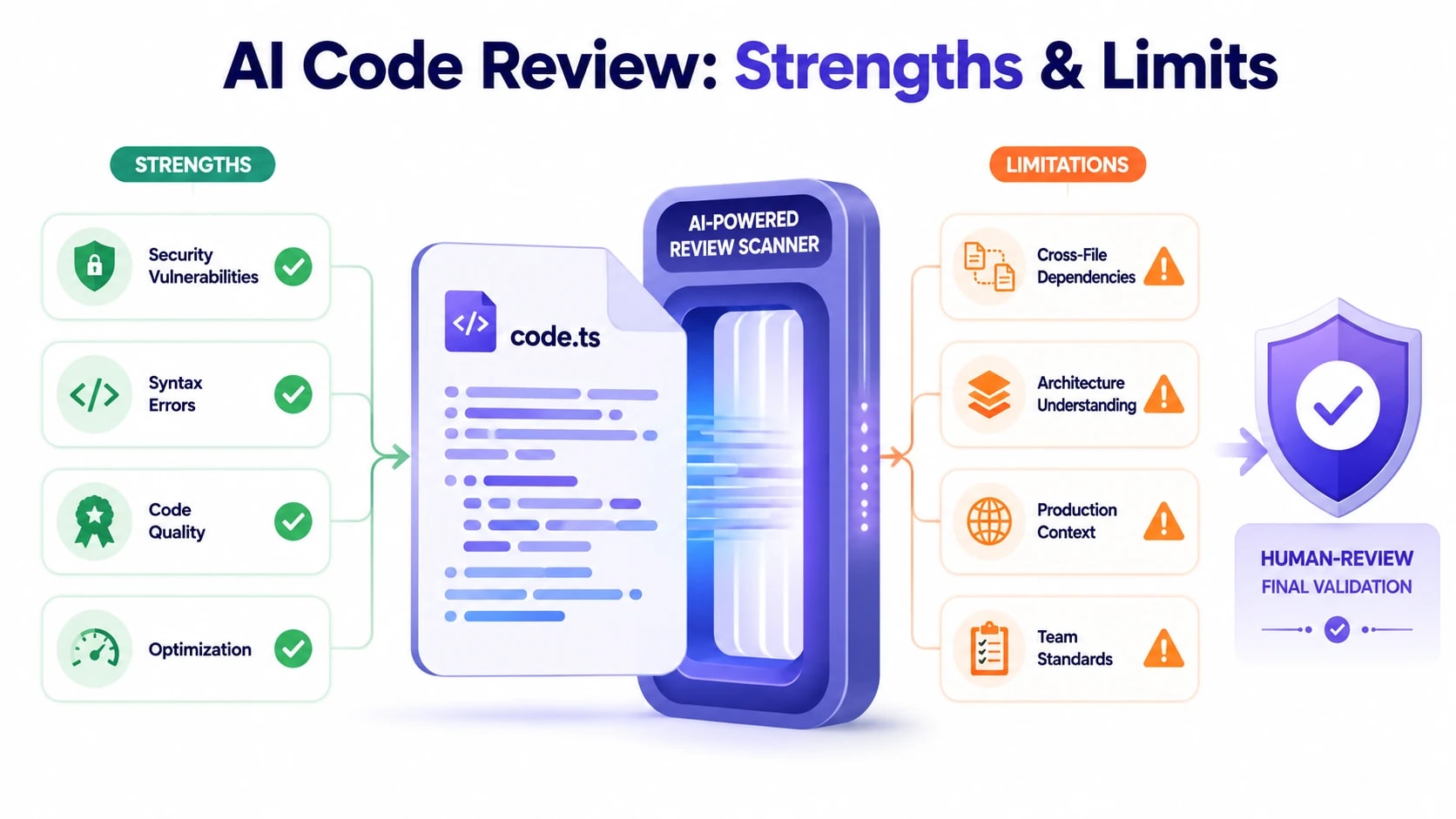
Code review is one of the most time-consuming parts of any development cycle, and ChatGPT can genuinely speed things up when used correctly. Paste a function or module into a well-structured prompt, ask it to identify logic errors, check for security vulnerabilities, or suggest performance improvements, and you will often get actionable feedback within seconds. For common issues like SQL injection risks, improper error handling, or unnecessarily nested loops, ChatGPT performs surprisingly well. It can also explain why a particular pattern is problematic, which makes it useful for junior developers who need context alongside the correction.
That said, there are clear limits. ChatGPT does not have access to your codebase as a whole, so it cannot catch issues that depend on how modules interact with each other at scale. It will not know about your team’s internal conventions, your database schema, or the specific edge cases your users encounter in production. It can miss subtle concurrency bugs, memory leaks in long-running processes, and framework-specific anti-patterns that require deep contextual knowledge. Treating ChatGPT as a first-pass reviewer rather than a final authority is the right mental model.
A practical approach is to split your code review into two stages: use ChatGPT for the mechanical checks first, then bring in a human reviewer for architectural judgment and business logic validation. This division of labor saves experienced engineers from spending time on surface-level issues and lets them focus on decisions that actually require domain expertise.
ChatGPT does well at: spotting syntax issues, flagging insecure patterns, suggesting cleaner abstractions, and explaining why code behaves unexpectedly
ChatGPT struggles with: cross-file dependencies, runtime environment specifics, team coding standards, and performance profiling at scale
Best practice: always include relevant context in your prompt, such as the language version, framework, and what the function is supposed to accomplish.
ChatGPT vs Other AI Coding Assistants: Honest Comparison
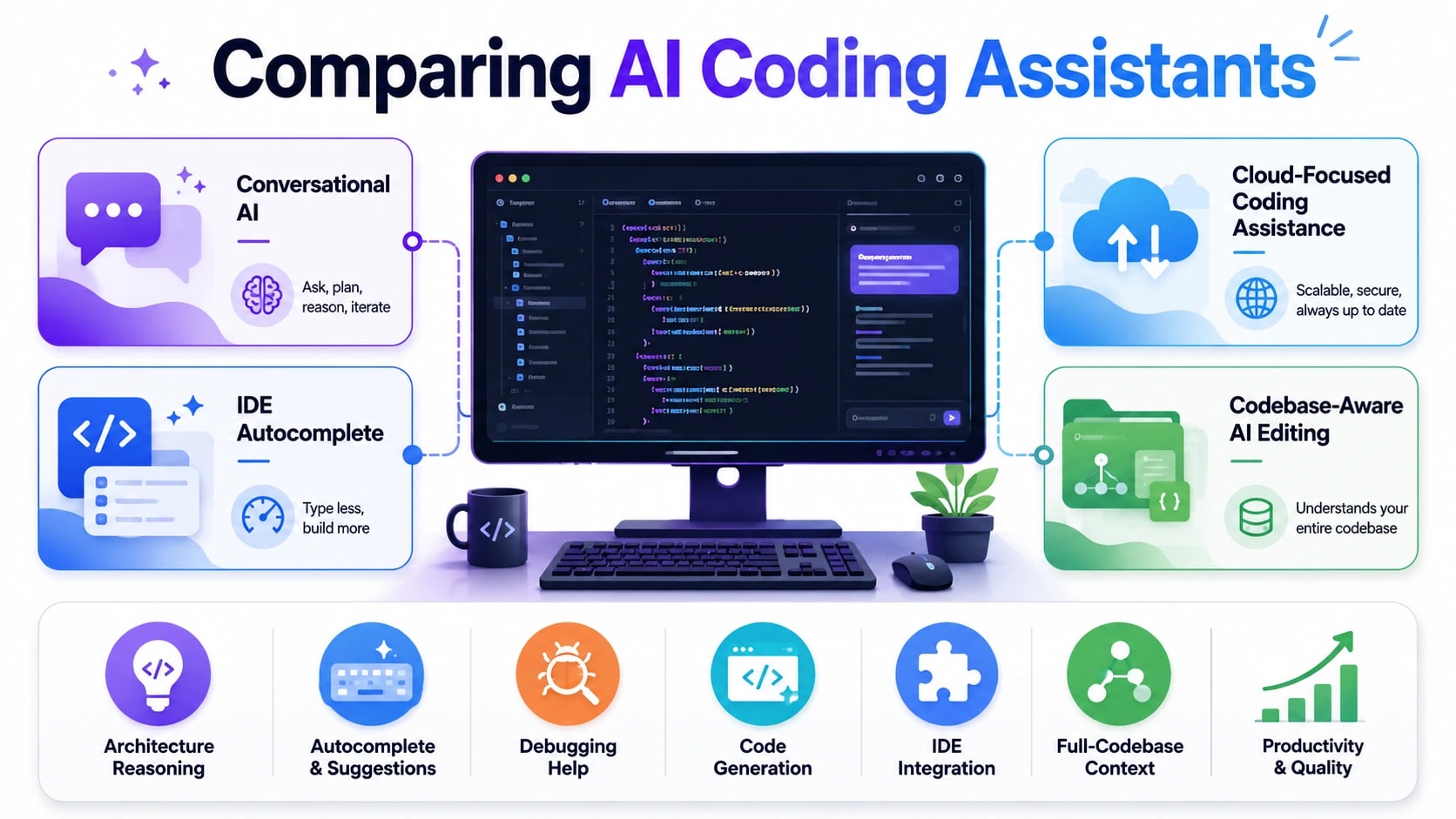
The AI coding assistant market has expanded quickly, and developers now have several solid options to choose from. ChatGPT, GitHub Copilot, Google Gemini Code Assist, and Cursor are the tools that come up most frequently in development teams. Each has a distinct strength depending on how and where you work. Copilot integrates directly into your editor and excels at real-time autocomplete while you type. ChatGPT, accessed through its interface or API, is better suited for longer conversations, architectural reasoning, and generating entire components from a detailed description. Gemini Code Assist leans into Google’s ecosystem and pairs well with teams already using Google Cloud.
For developers who need a reasoning partner rather than an autocomplete engine, ChatGPT generally wins. You can ask it to think through trade-offs, explain why one approach is better than another, or walk you through an unfamiliar algorithm step by step. It handles multi-turn conversations more naturally than most alternatives, which matters when a problem evolves as you talk through it. Cursor, an editor built on top of GPT-4, tries to combine the best of both by embedding that conversational quality directly into the coding environment.
Tool
Best For
Integration
Conversational Reasoning
Free Tier
ChatGPT
Architecture, debugging, generation
API, web, plugins
Excellent
Yes (GPT-3.5)
GitHub Copilot
Real-time autocomplete
IDE native
Limited
No
Gemini Code Assist
Google Cloud projects
VS Code, JetBrains
Moderate
Yes
Cursor
Full codebase context
Standalone editor
Very good
Yes (limited)
Practical ChatGPT Workflows for Different Development Roles
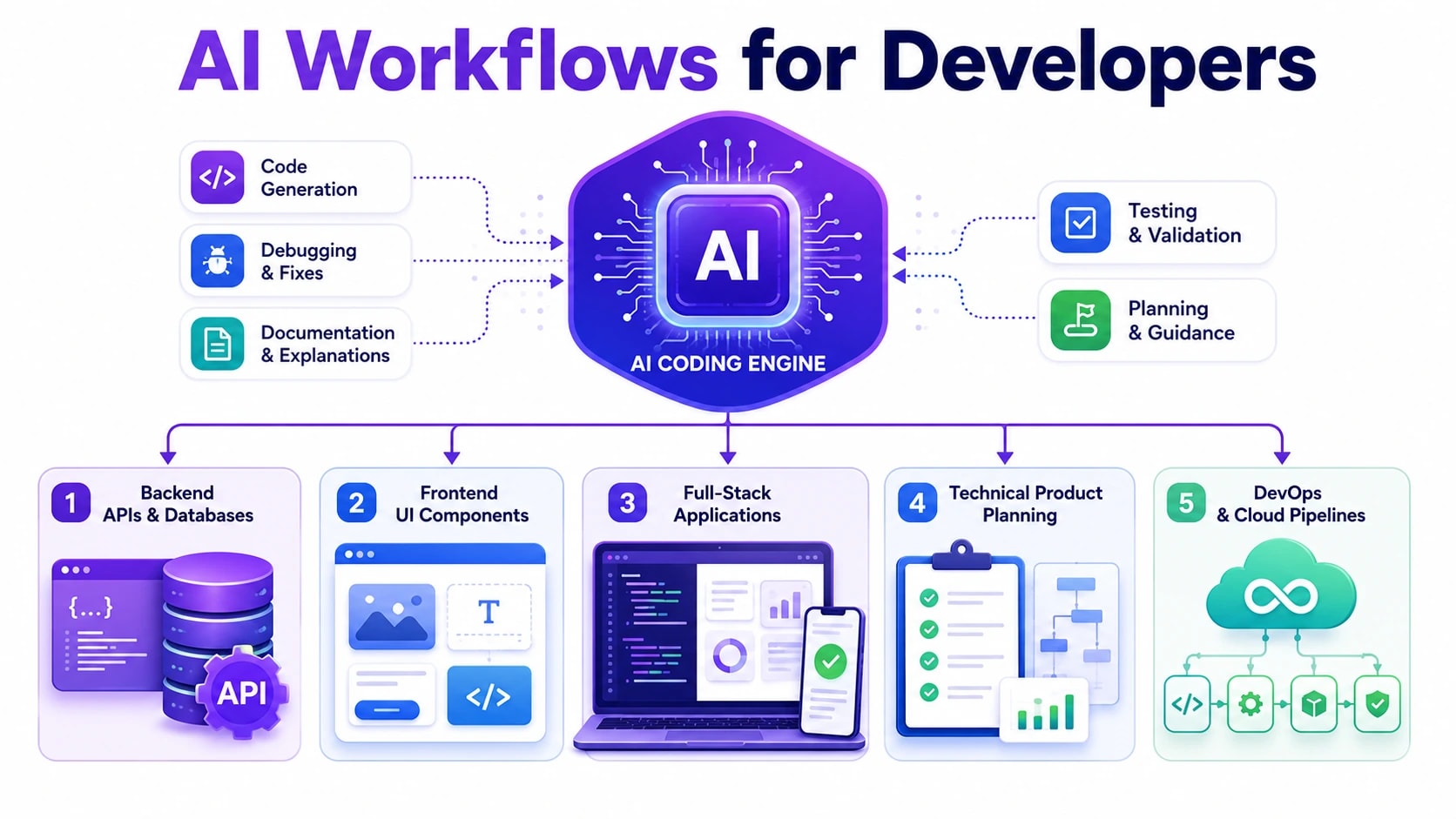
How you use ChatGPT should depend heavily on what your day-to-day work actually involves. A backend engineer building APIs has different needs from a frontend developer working on component libraries or a solo founder shipping a SaaS product. Trying to apply a single generic workflow to every role produces mediocre results. The developers who get the most value out of ChatGPT are the ones who have built prompting habits that map directly to their specific tasks.
Backend developers get strong results using ChatGPT to draft boilerplate for REST and GraphQL endpoints, generate database migration scripts, write unit test scaffolding, and think through system design decisions before committing to an approach. Frontend developers tend to benefit most from using it to generate accessible component markup, debug CSS layout issues, and convert design descriptions into working React or Vue components. Product managers and technical founders often use it to translate feature requirements into technical specifications that engineers can act on immediately, reducing back-and-forth during planning.
Backend engineers: API scaffolding, SQL query optimization, test generation, error handling patterns
The common thread across all roles is specificity. The more clearly you define your environment, your constraints, and the exact output you need, the more useful the response becomes. Developers who treat ChatGPT like a search engine get search-engine-quality results. Those who treat it like a technically skilled collaborator and give it real context get work that actually saves time.
Common Mistakes Developers Make When Using ChatGPT for Code
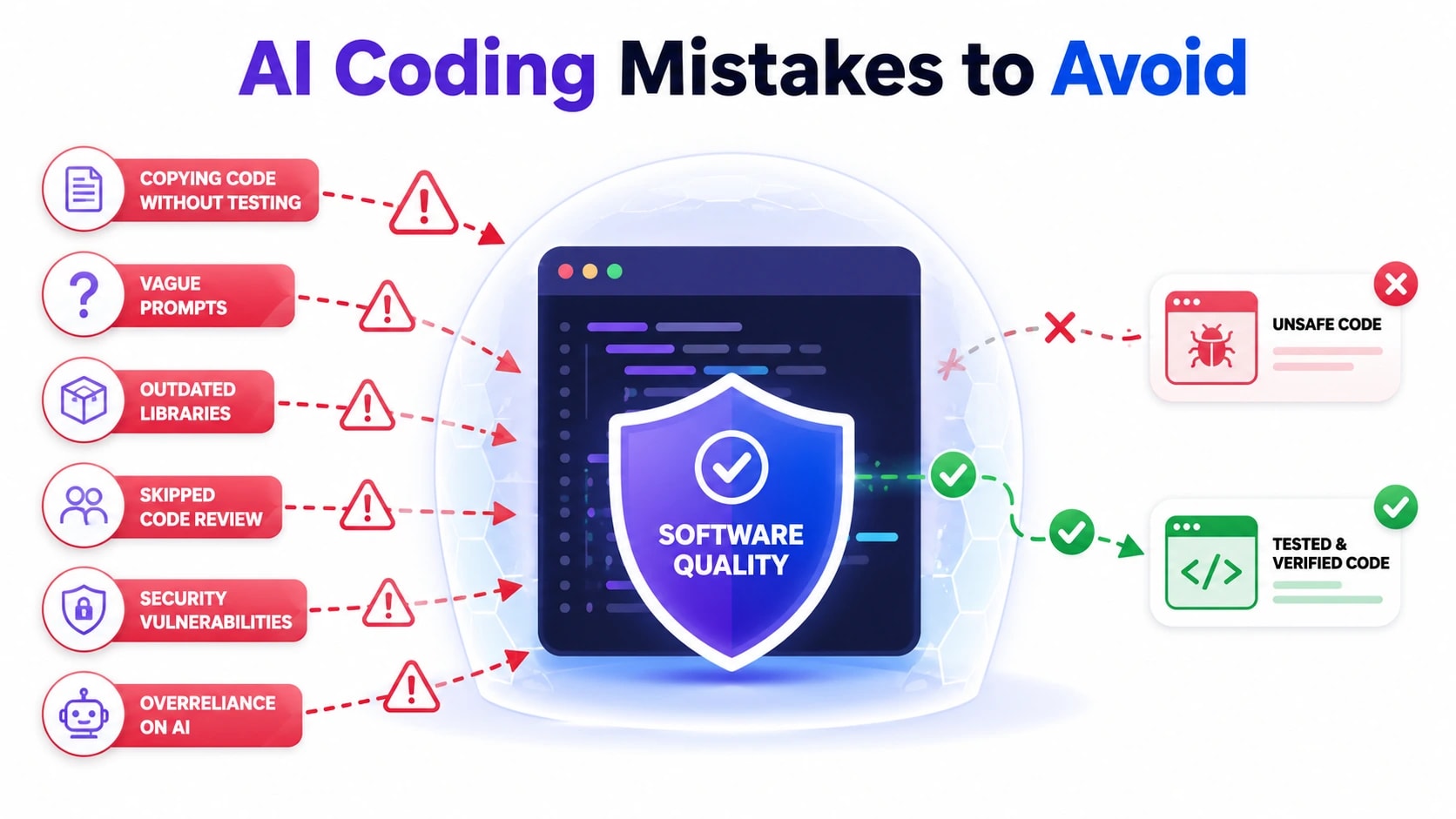
Even experienced developers fall into predictable traps when working with ChatGPT. Knowing what these mistakes look like in practice helps you avoid wasted time, broken builds, and false confidence in code that has never actually been tested.
Trusting Output Without Verification
ChatGPT generates plausible-looking code quickly, and that speed can trick you into skipping the verification step. This is one of the most costly habits a developer can build. Common examples of unverified trust include:
Copying a generated SQL query directly into a production environment without checking for injection risks
Using a suggested npm package without checking whether it is still maintained or has known vulnerabilities
Accepting a regex pattern as correct without testing it against edge cases
Assuming authentication logic produced by the model follows your framework’s current security conventions
Make it a rule: every piece of ChatGPT-generated code gets reviewed and tested before it ships, no exceptions.
Giving Vague or Incomplete Prompts
When you ask a vague question, you get a generic answer. Developers often frame prompts the same way they would phrase a Google search, which produces similarly shallow results. Weak prompts leave out context the model genuinely needs:
The programming language version or framework being used
Existing constraints such as database type, authentication method, or hosting environment
Whether the function needs to handle async operations or specific error states
The expected input format and output structure
A prompt like “write a login function” will never be as useful as “write a login function in Node.js using Express and bcrypt that returns a signed JWT on success and a 401 status with an error message on failure.”
Using ChatGPT as a Replacement for Understanding
Perhaps the most damaging long-term mistake is treating ChatGPT as a substitute for learning. Junior developers especially risk building a dependency on generated code they cannot read, debug, or extend independently. Signs this is happening include:
You cannot explain what a generated function does line by line
You ask ChatGPT to fix an error it introduced without understanding why the fix works
Your debugging process is entirely outsourced to the model rather than informed by it
The table below summarises the most common mistakes and the habit that replaces each one:
Common Mistake
Better Habit
Copying code without testing it
Run unit tests and review logic before committing
Vague, context-free prompts
Include language, framework, constraints, and expected output
Accepting outdated library suggestions
Cross-check recommended packages against current documentation
Skipping code review for AI output
Treat generated code with the same scrutiny as any external contribution
Using AI instead of learning
Use AI to accelerate learning, then verify you can explain what was generated
Avoiding these mistakes is not about being skeptical of AI tools. It is about building a workflow where the model amplifies your judgment rather than replacing it. Developers who get consistent value from ChatGPT are the ones who stay in the driver’s seat.
Conclusion
ChatGPT is a genuinely useful tool for software development when you treat it as a skilled assistant rather than an authority. The developers who get the most out of it write specific prompts, verify every output, use it to speed up repetitive tasks like writing tests and documentation, and continue building their own understanding alongside it. The tips and workflows covered in this article are not theoretical. They reflect how productive engineering teams are already integrating AI into daily work without letting it introduce new risk or technical debt.
If you are building a SaaS product, a web application, or a custom software solution and want a team that knows how to apply modern development tools effectively, Techlad can help. Our engineers combine solid software engineering practices with practical experience to deliver products that are built to scale. Get in touch to talk about your project.
Frequently Asked Questions
Can ChatGPT write production-ready code on its own?
Not reliably. ChatGPT can produce solid starting points and working snippets, but production code requires context about your architecture, security requirements, and business rules that the model does not have. Every output should be reviewed, tested, and adapted before it is deployed to a live environment.
Is it safe to paste proprietary code into ChatGPT?
This depends on your organisation’s data policies and which ChatGPT plan you use. Enterprise plans offer stronger data privacy controls. For sensitive or proprietary codebases, avoid sharing code that contains credentials, personally identifiable information, or business logic covered by non-disclosure agreements.
What types of coding tasks is ChatGPT best suited for?
ChatGPT works well for writing boilerplate code, generating unit tests, explaining error messages, drafting documentation, and prototyping new features quickly. It is less reliable for tasks that require awareness of your full codebase, real-time library updates, or complex system architecture decisions.
How do I get more accurate code from ChatGPT?
Specificity is the single biggest factor. Include the language version, framework, expected inputs and outputs, and any constraints such as performance requirements or error handling rules. Providing a small example of existing code from your project also helps the model match your style and patterns.
Will using ChatGPT make junior developers worse at coding?
It can, if used as a shortcut instead of a learning tool. Junior developers benefit most when they use ChatGPT to explore concepts, ask follow-up questions, and understand why generated code works the way it does. Passive copying without comprehension slows skill development over time.


 Post by